Overbloom
Experimental first-person shooter
In this experimental shooter, 2 players face off in an area control competition. Whoever has more flowers on a desert tile wins that tile, unlocking a respective tile on the fractured shared split screen. This idea, and its technical implementation using render targets were my key contributions to this game jam.
Demonstrates:
Innovation, Technical Implementation
Role:
Programmer, System Designer,
Tech Artist
Team:
Oskar Lazar, Kathi Pöttrich, Fea Schirrmacher, Melina Weber, Fabian Wislsperger
Innovation
Challenge
In such a short time period available for conception, it can be difficult to find truly innovative ideas. In the game jam format, we were stuck with 3 weeks and knew we were going to start working on our idea within the first day. We were also limited to a certain genre, word, or context, ours being “shooter”.
What’s more is that we made a team decision to find a way to subvert the genre while maintaining a competitive PvP environment. Mainly hoping to find a different focus from the usual combat scenario.
Solution
I came up with a system that builds on the usual technicality of a split-screen, which, from a more technical standpoint, is mandatory for local multiplayer games. In the case of a shooter, specifically the problem in correlation with first-person shooters comes to mind. This would usually result in either a seemingly too low x-height of an individual segment of the screen or, alternatively, a too narrow y-width.
Sometimes it could feel like the players are fighting over screen space. Which is precisely what you do in Overbloom. By shooting your resources across the map, which has the usual 16:9 aspect ratio, a player can unlock parts of the screen, either unlocking a new area or taking it from your opponent.


This territorial gameplay brings a sense of innovation and defies the usual expectations of what a versus-based first-person shooter can be
Technical Implementation
Challenge
The above-mentioned idea presents new issues to surmount. At first I intended to have a camera render the placed resources from both parties, rasterize them, and turn them into masks. Upon consultation with David Witzgall, a teacher of ours, we decided to simplify this concept. I did so by designing dedicated areas on the map that are each assigned to a part of the screen.

Solution
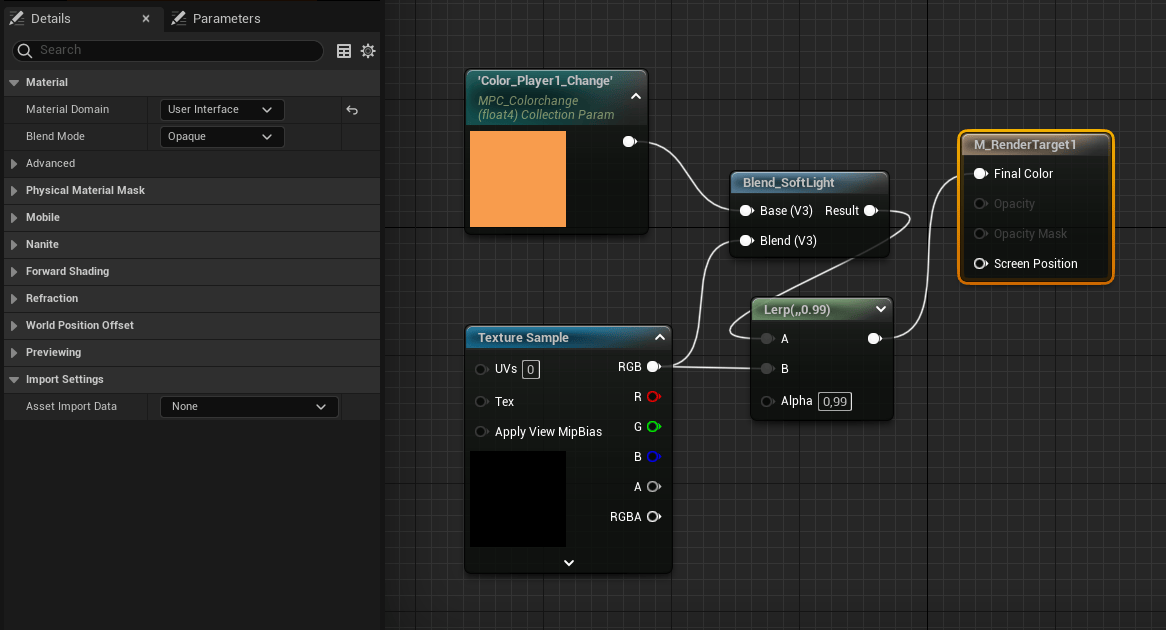
I started by creating a render target for each player. It is important for the material domain to be set to “User Interface”
To be ignored here is the blend with the color in the shader.
Next, I created an image mask for both players. In it, I assembled several masks, each of which was lerped between being integrated (1) and ignored (0).
This number is manipulated in an MPC (multiple parameter collection). One of each is what every player needs. Within, every fragment of the mask needs its own parameter.
The input texture needs to be renamed to “Target”. The output material domain has to be the user interface domain with its blend mode being translucent.

Next, I created a widget, which needs to be added to the viewport in the level blueprint event graph.
Apart from the background and overlay images, it is essential that each player gets their own retainer, acting as a mask in addition to the image being displayed.
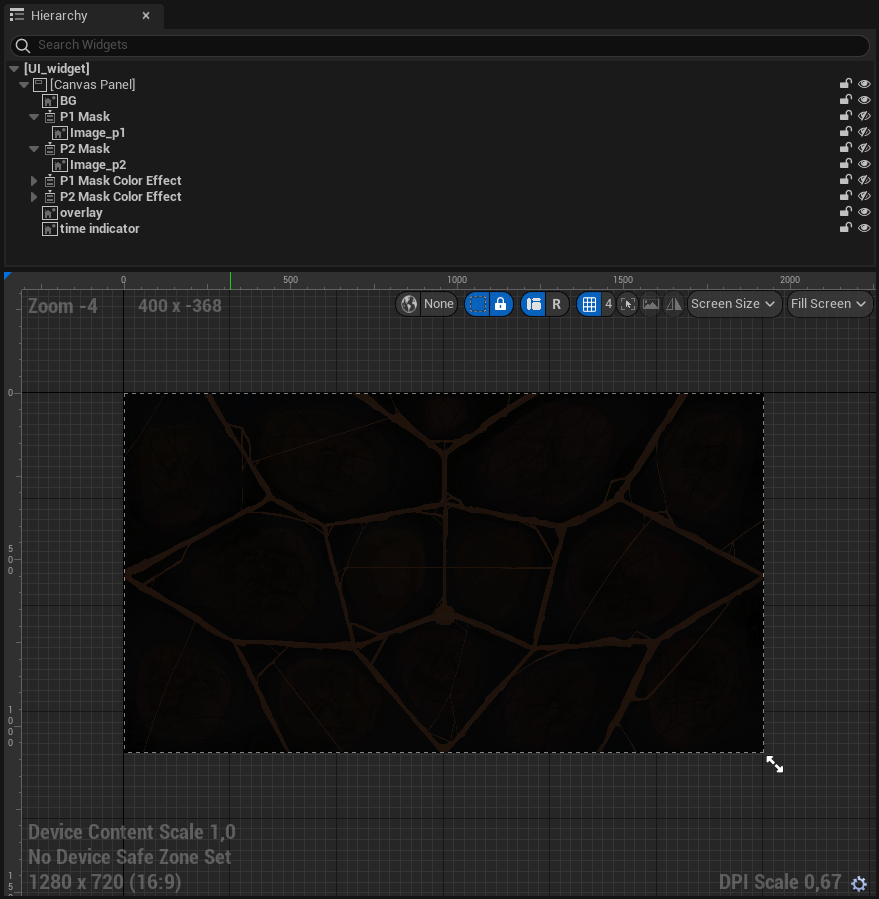

The mask’s effect material has to be assigned to the relevant player’s image mask material, with their texture parameter set to “Target”
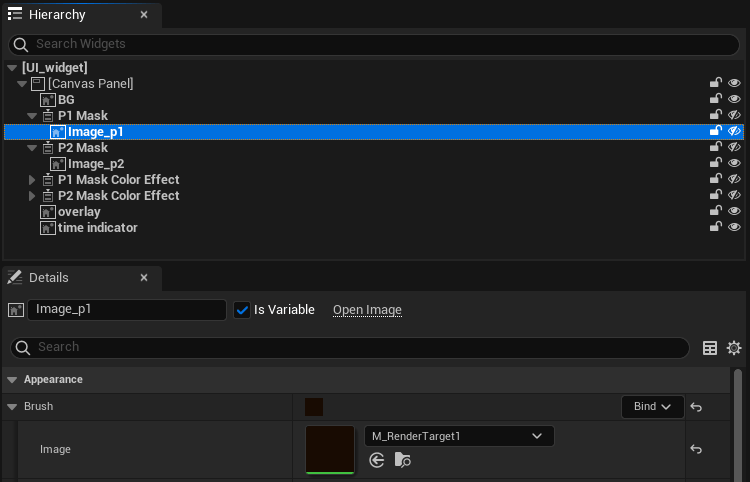
The image’s brush must be assigned to the render target material we created.
In the content drawer, it is necessary for the next step to add a render target for each player, which can be found under the texture section.

In the first-person player blueprint, we add a scene capture component with identical transform and projection settings. Under scene capture, one can assign the texture target to the render target. For this you will have to find a solution to address the correct render target for each player. I managed this in the construction script.
When a zone changes ownership, it can change the player’s MPC’s relevant value, which I managed via a simple index variable.

Once all these steps had been implemented, we had a scattered split screen with up to 15 zones that could then be designed to achieve desired system design and art criteria.
Leave a Reply